
AI Hairstyle & Hair Cut Editor
UpNameBeauty
3.96.00 Reviews
- Version
- 3.02
- Installs
- 10.00K
- Age Rating
- Everyone
Screenshots
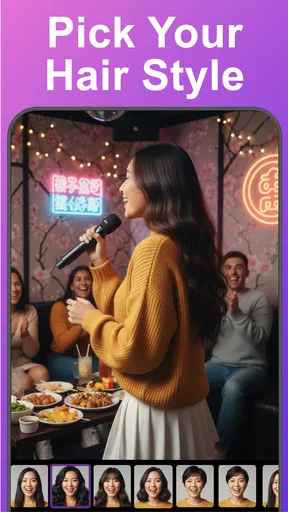
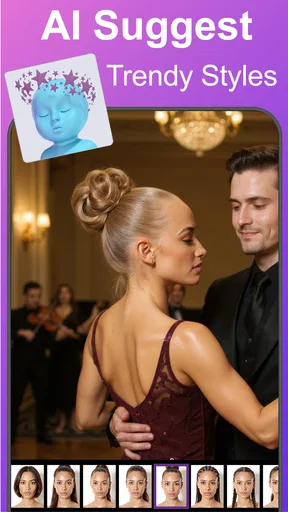
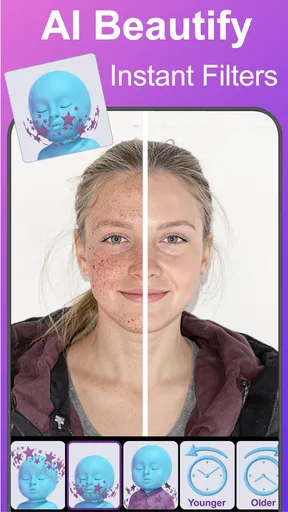
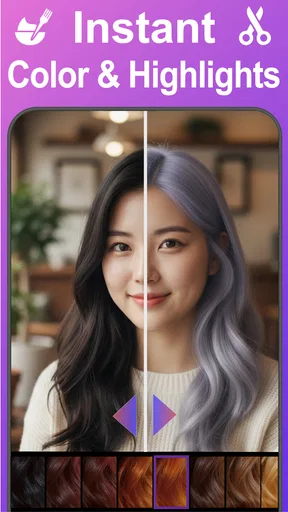
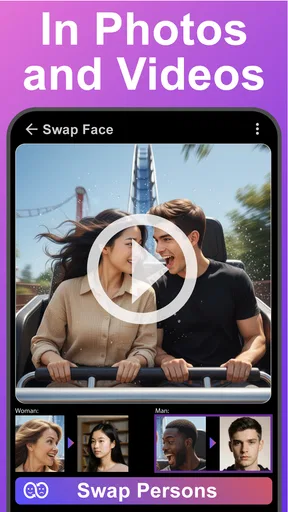
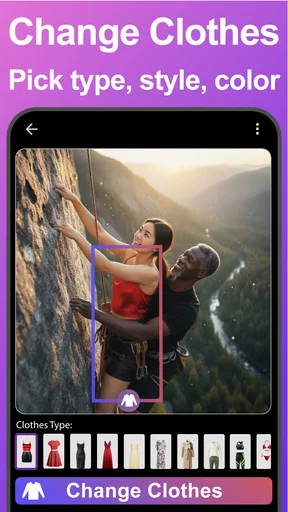
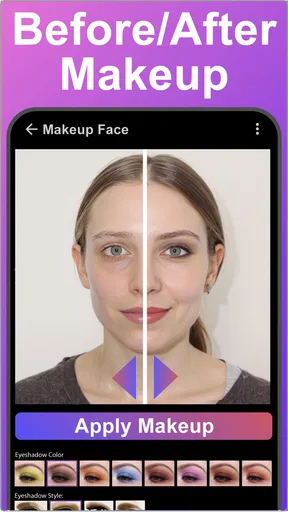
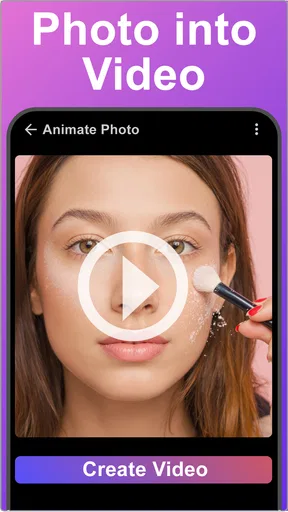
Our Review of AI Hairstyle & Hair Cut Editor
 Analysis by Appyee
When I’m unsure about a haircut, the hardest part is picturing how a reference photo might translate to my own face. AI Hairstyle & Hair Cut Editor is designed for that moment: it lets me explore possible cuts, colors and fringe styles before I decide whether to make a real change. I see it as a low-pressure way to narrow down ideas, not a substitute for a stylist’s advice or a guarantee of what a salon result will look like.
What to decide before trying a virtual look
The first question is what you want from a hairstyle app. If you need a polished portrait editor for every kind of retouching, this is a narrower choice. Its appeal is trying hair-focused changes—such as a pixie, braids, bangs or a different shade—rather than turning into a general-purpose photo studio. That focus makes it easier to approach when your main question is simply, “Could I live with this shape or color?”
I’d also think about how you plan to use the result. A playful preview can help you discover a direction, while a salon conversation needs something more practical: a clear photo, a specific reference and room for a professional to explain what works with your actual hair. Treat an edited image as a starting point for that conversation, not as a promise that the cut will fall exactly the same way in real life.
There is a useful distinction between choosing a broad style and judging the details. An image can make a dramatic change feel exciting, but it may not answer questions about upkeep, styling time or how a fringe behaves between appointments. I use an app like this to decide which ideas are worth discussing, then make the maintenance questions part of the real-world decision.
First Impressions
When I first opened the AI Hairstyle & Hair Cut Editor, I was greeted by a sleek and intuitive interface. The app is all about simplicity, which is perfect for those of us who aren't exactly tech-savvy. It doesn’t overwhelm you with too many options upfront, which I appreciated. Instead, it nudges you gently into its features, making it easy for anyone to start experimenting with new looks.
The app uses advanced AI technology to map your face and hair, which sounds fancy, but it really just means that it’s pretty darn accurate. I was impressed by how naturally the hairstyles seemed to blend with my head shape and face. It's almost like the app knows you better than you know yourself!
Features and Functionality
Now, let’s talk about the nitty-gritty. The app offers a range of hairstyles—everything from classic bobs to edgy undercuts. The variety is impressive, and I found myself scrolling through a seemingly endless list of styles. The app even lets you play around with hair colors, so if you've ever wondered how you'd look as a redhead or with icy blue streaks, this app has you covered.
One cool feature is the ability to save your favorite looks. You can easily come back to them later, making it easier to compare and decide. Plus, sharing your new looks with friends is a breeze, thanks to the integration with social media platforms. I had way too much fun sending my friends different styles and getting their opinions.
How to get a more useful comparison
Rather than trying dozens of looks at random, I’d make a small comparison set: one familiar cut, one realistic change and one more daring option. Keep the same source photo while comparing them, so the hairstyle—not a different angle or expression—is the main thing that changes. Saving a few finalists gives you a more useful shortlist than relying on whichever transformation looks most dramatic at first glance.
Photo choice matters more than it may seem. A clear, front-facing picture with your hair visible gives the editor a better basis for showing a new outline. If your hair covers part of your face or the lighting hides its edges, the result may be harder to judge. I’d try another photo before dismissing a style that looks oddly placed; the issue may be the starting image rather than the haircut idea.
Color previews are best used for broad direction. Comparing a warmer shade with a cooler one can help you decide what to ask about, but a screen preview should not be treated as an exact color formula. Hair history, natural color and salon technique all affect the real outcome. If a shade looks promising, save it alongside a reference picture and ask a colorist what would be achievable for your hair.
User Experience
The app runs smoothly, with quick loading times and no noticeable lag, which is a huge plus. No one likes waiting around for an app to catch up, especially when you’re in the middle of a serious style evaluation! The user experience is definitely one of the app's strong suits.
Another thing I love is that you don’t need to create an account to start using the app. Just download and dive right in. This is a small detail, but for those who are wary of sharing too much personal information, it’s a nice touch.
A realistic way to use it before an appointment
Imagine you have a haircut booked later in the week and keep changing your mind about getting bangs. I’d take a clear photo, try a fringe alongside a couple of alternatives, and save the looks that feel closest to what I want. At the appointment, I could show those images and explain what I like about each one—perhaps the length or the face-framing shape—rather than asking a stylist to reproduce an edited image exactly.
That workflow is useful because it turns vague indecision into a conversation. It can also reveal that you like one element of a look but not the whole transformation. Maybe the color is appealing while the cut feels too short; separating those preferences helps you describe a more realistic request. The app is most helpful when it supports your judgment, rather than making the decision for you.
Where other approaches may fit better
Compared with browsing hairstyle photographs, this app’s main advantage is seeing a style placed on your own image. Reference galleries are better for studying real hair texture, movement and how a cut looks from different angles, but they can leave you guessing about your own face. I’d use both when planning a substantial change: the editor to explore personal fit, and real photos to understand what the style looks like outside a digital preview.
General photo-editing apps may suit someone who wants many kinds of image adjustments in one place. A dedicated salon consultation is the better choice when the decision depends on hair condition, texture, routine or technical color work. This editor sits between those options: more focused on hair experimentation than a broad photo tool, but less grounded in the practical assessment a stylist can provide.
It may not be the right pick if you want an exact simulation of how your own curls will form after a cut, or if you need detailed advice about maintenance. In those cases, I’d prioritize a stylist who can examine your hair and routine. The app is also less useful when you already know precisely what you want and are ready to book; its value is in exploring possibilities, not replacing the appointment.
Who Will Love This App?
If you’re someone who loves experimenting with their look or if you’re just curious about how a different hairstyle might suit you, this app is right up your alley. It’s perfect for anyone, whether you’re prepping for a big event, looking for a fresh start, or just killing time with some virtual makeovers.
Even if you’re not planning to change your hairstyle anytime soon, the AI Hairstyle & Hair Cut Editor is entertaining enough to keep you engaged. It’s like having a little playground for your hair, without the commitment or risk of a bad hair day!
For a practical use, I’d recommend it to someone who is collecting ideas before a first major haircut in a while, or who wants to compare a subtle change with a bolder one. It can also be a fun way to involve a friend in the decision without asking them to imagine every option from words alone. On the other hand, someone who dislikes trying looks on a photo, or who expects a precise preview of real-world texture and styling, may get more from reference images and an in-person conversation.
Price, version and the cost of switching
The app is free to download, while in-app purchases range from $0.99 to $99.99 per item. I’d begin with the free experience and decide whether its hair previews fit my needs before spending anything. The broad purchase range makes it sensible to check what an individual purchase covers in the app before confirming it, especially if I only want to test a few ideas rather than make regular use of it.
It comes from UpName, is rated for Everyone, and has a 3.9 average from 29 ratings, with 10K+ installs. It was released on June 30, 2025, and the current version is 3.02, with Android 9 as the minimum operating system. Those details place it as an accessible, relatively focused option, though the rating and modest number of ratings are only a snapshot of other users’ experiences—not a promise that every photo or hairstyle will work equally well.
Switching away later should be straightforward if you only used it to explore a few ideas: keep any saved or shared images you want to refer to, and take your shortlist to whichever alternative you prefer. If you have already built a set of favorite looks, that collection is the most useful thing to carry forward. I wouldn’t choose an app solely on the assumption that one preview will settle a major haircut decision.
Final Thoughts
Overall, the AI Hairstyle & Hair Cut Editor is a delightful app that does exactly what it promises. It’s fun, easy to use, and gives you a peek into how different hairstyles and colors might look on you. Whether you’re seriously considering a new cut or just want to have some fun, this app is worth a download.
So, if you’re ready to take the plunge into the world of virtual hairstyling, give this app a whirl. You might just find your next favorite look!
My recommendation
I’d try it if the goal is to make hairstyle brainstorming more personal and enjoyable, especially when I’m torn between a few broad choices. The strongest approach is to use a suitable photo, save a small number of comparisons and take those ideas to a stylist with realistic questions about upkeep and feasibility. That keeps the app in its best role: a visual aid for deciding what to explore next.
If you need expert guidance on what your hair can support, or a dependable prediction of an exact cut and color, I’d skip relying on a virtual editor alone. For everyone else, this is a straightforward way to test a change in spirit before making it in a chair. I’d recommend it as a first step for curious users, with the understanding that the final call still belongs to you and your stylist.
Verdict
Strengths of AI Hairstyle & Hair Cut Editor
- Easy-to-use interface for quick edits.
- Wide variety of hairstyle options.
- Realistic rendering of hair changes.
- No account needed to start editing.
- Regular updates with new styles.
Limitations of AI Hairstyle & Hair Cut Editor
- Limited free features without subscription.
- Occasional lag on older devices.
- Ads can be intrusive during editing.
- Some styles require in-app purchases.
- No offline mode available.
Other Releases by UpName
View All
Age Changer - Future Face AI
Beauty4.3
Similar Picks in This Category
View All
Beauty Makeup Editor & Camera
Photo & Video Editors - Instant Solution4.7

Perfect365: Face Makeup Editor
Perfect365, Inc.3.5

Mirror Plus - HD Mirror app
Digitalchemy, LLC4.8

Cute Lock Screen & Wallpapers
Prometheus Interactive LLC4.6

HD Camera for Android
One Music Player4.5

Phone Mirror app - True Mirror
Cards4.6
Frequently Asked Questions
What features does the AI Hairstyle & Hair Cut Editor offer?
The AI Hairstyle & Hair Cut Editor provides a range of features, including virtual hairstyle try-ons, hair color changes, and personalized style recommendations. The app uses advanced AI technology to analyze your face shape and suggest the most flattering hairstyles. It also offers editing tools to adjust the hairstyle's length and volume.
Is the AI Hairstyle & Hair Cut Editor easy to use for beginners?
Yes, the app is designed with user-friendliness in mind, making it accessible for beginners. The intuitive interface guides you through the process of uploading a photo and experimenting with different hairstyles. User tutorials and tips are also available to enhance your experience and ensure you achieve your desired look.
Are there in-app purchases or subscriptions involved?
The AI Hairstyle & Hair Cut Editor offers both free and premium features. While basic tools are available at no cost, certain advanced features and exclusive hairstyles require in-app purchases or a subscription. Users can choose from various subscription plans to unlock full access and receive regular updates.
Can I save and share my edited hairstyle photos?
Absolutely! The app allows you to save your edited images directly to your device. You can also share your new look on social media platforms or with friends through messaging apps. This feature makes it easy to get opinions on potential hairstyle changes before making a real-life commitment.
Is the AI Hairstyle & Hair Cut Editor available for both Android and iOS?
Yes, the app is available for download on both Android and iOS devices. It can be found on the Google Play Store and the Apple App Store. Ensure your device meets the minimum operating system requirements for optimal performance and to enjoy all the features seamlessly.
